Three ways I use AI — and what I refuse to do.
As a designer I’m asked regularly if I’m scared AI will take my job and my honest answer is - no. I think designers will adapt (and have already adapted) to incorporate AI to ease pain points we run into. What I am scared of is how AI is seeping into society more broadly, without regulation or forward thinking. Here are 3 ways I use AI as a designer - and where I draw the line.
How I use AI
Mockups & Editing Photos
One of the most time consuming tasks pre-AI was finding the perfect photo for a mockup. For the non-designers out there, a “mockup” is when you show a design on a real life product or scenario - a logo on a bag, for instance. There are lots of great mockups out there, made by designers, that are exceptional. If I want something that is completely polished, I’ll use those. But if I want a client to be able to imagine, in the early stages of design, how a concept could translate, AI is faster and can be tailored to the client’s project more much more easily.
AI has totally changed the game in terms of photo editing. Its has never been easier. Removing backgrounds, or cutting around a stands of hair in a headshot, was a painstaking task. Now even Canva can do it (really well, actually).
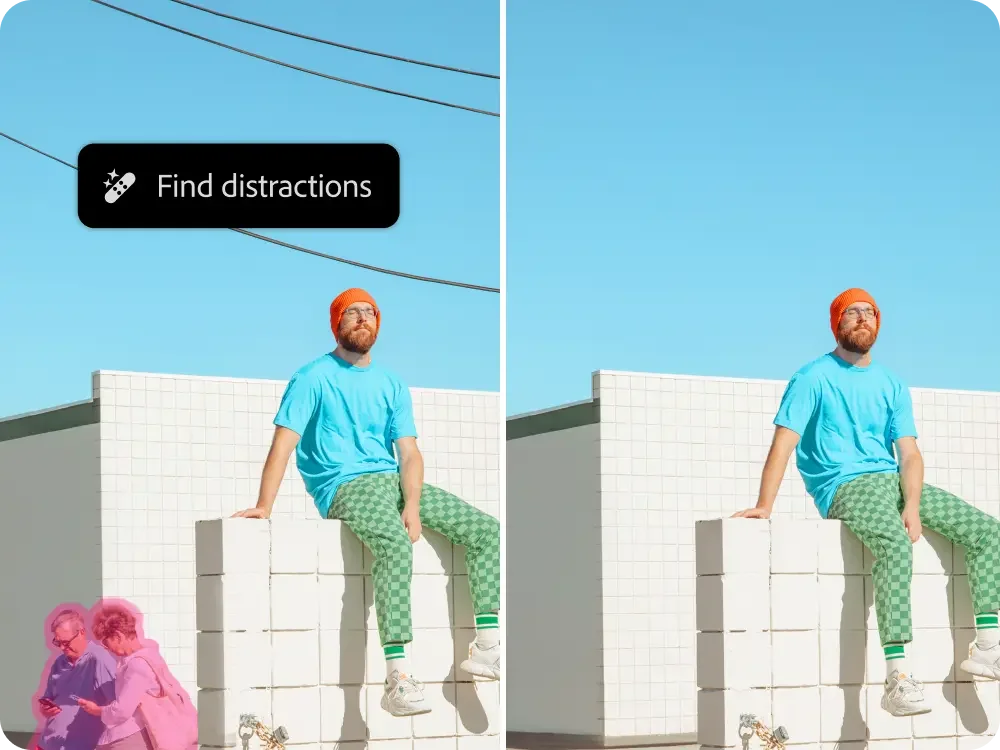
Credit: Adobe Photoshop
Copy and Placeholder Text
A big roadblock for many clients is the copywriting - the text that will be used in their design. From websites to flyers, people have a hard time knowing what they want to include - and I get it, it’s hard! Not having the copy available is difficult for designers because it dictates a lot of the spacing and layout in a design. Not having it can really hold up a project or lead to many more revisions and drafts than anyone wants. AI has been a huge help with this. It can help generate ideas and create “placeholder” copy, text that can be used to “hold the place” for the real text, allowing the design process to move forward.
Trying out a Style
There was a project I was working on where I wanted to see if an image would work in the design. It was a fish, specifically a trout, in a sumi ink style, leaping up a waterfall. I couldn’t find a real life example, as far as I could tell, it didn’t exist. So, I used AI with style references to create it. This allowed me to see if the style would work in the design, show my client and get the green light on the concept, and commission an artist to create the artwork that would be used in the final design.
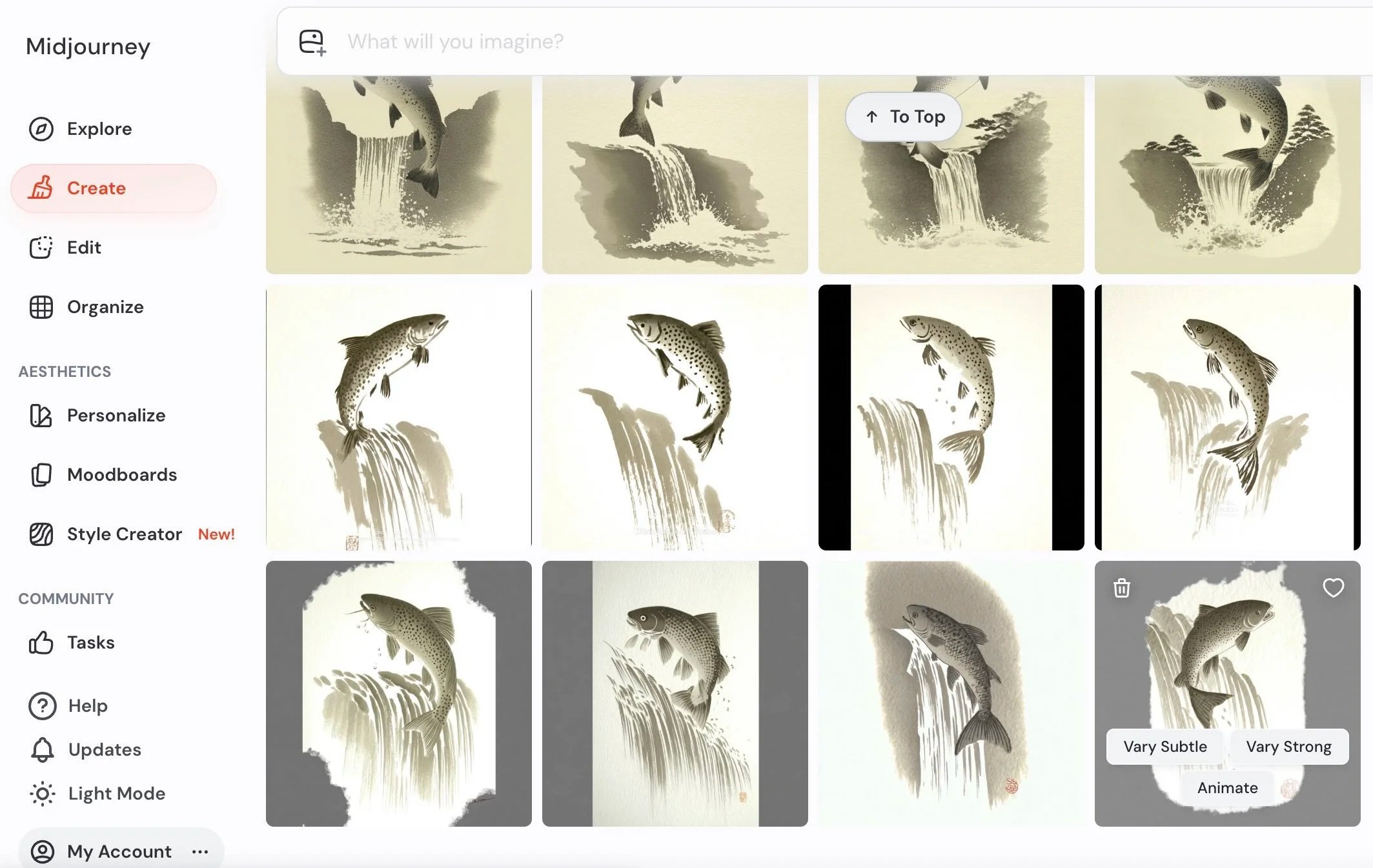
Concept Visualization with Midjourney
How I’ll never use AI
In a Finished Design
I know they say never say never, but so far I have not seen a way to use AI in a finished design without it looking off. Ideation, sure. Photo editing, sometimes. Handing off an AI design or artwork as a finished product to a client, never. It just screams “AI Generated!” and until that changes I don’t see myself ever using AI in place of something I design myself.
Replacing the Next Generation
The fact that young people are having a hard time finding jobs because entry level tasks are being outsourced to AI is so disheartening to me. We need to invest in the next generation, mentor them, pass the torch - not pass them over for profit and “efficiency”. With so much focus on how AI is “the future”, let’s not forget that not too long ago we referred to our youth as the future. Last week, commencement speakers around the country were booed at the mention of AI. If that’s not an indicator that something is wrong, I don’t know what is.
Well, there you have it. The ways I use AI as a designer and the ways I will not. If you want to work with me on a project that may be helped along by AI, but is 100% human, schedule a consultation with me today.